
VendTrack & Rent
VendTrack is the included LB Phone custom app. It shows the signed-in character's owned machines, stock status, balances, sales, and rent bills. Core vending does not require LB Phone; the included remote app does.
App registration
Start lb-phone and nuiro-vending. The resource registers the app through LB Phone's custom-app exports; you do not need to add a duplicate app manually.
phone = {
    name = 'VendTrack',
    description = 'Cash, stock and sales for your machines',
    developer = 'Nuiro',
    defaultApp = true,
},
The fixed app identifier is nuiro_vending. defaultApp = true marks it as a default app; false removes that default-install flag. It is not an integration-disable switch.
The app UI loads from nuiro-vending/phone/index.html and its icon from the resource's phone/assets/icon.svg. Registration retries during startup and runs again if LB Phone starts afterward. If the app is missing, check the client console for could not add the phone app, confirm the phone files are included, and avoid a second app with the same identifier.
What owners can do remotely
- Read an overview of all owned machines, stock, balances, and sales.
- Open a machine's stock, earnings breakdown, and paginated sales history.
- Check last service activity and the inactivity deadline.
- Set a GPS waypoint to a machine.
- View and pay a rent bill using the character's bank balance.
Restocking, listing edits, branding changes, cash withdrawals, and pickup remain at the machine. Reading VendTrack does not replace opening Service Machine to reset inactivity.
Overview and bills
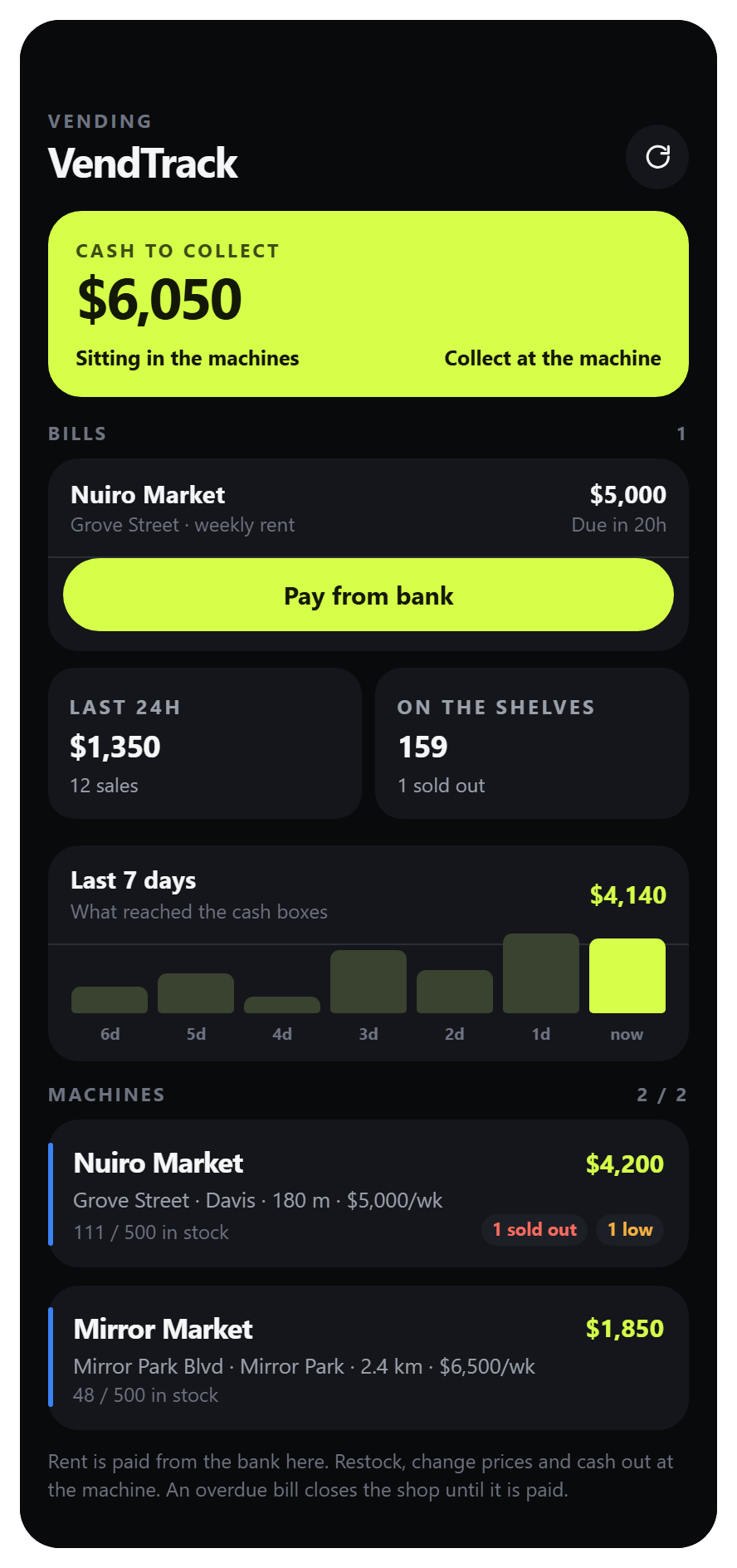
The overview combines cash waiting in machines, rent bills, recent earnings, and the owned-machine list. Pay from bank pays the selected bill; the machine's cash box is a separate balance.
Machine stock
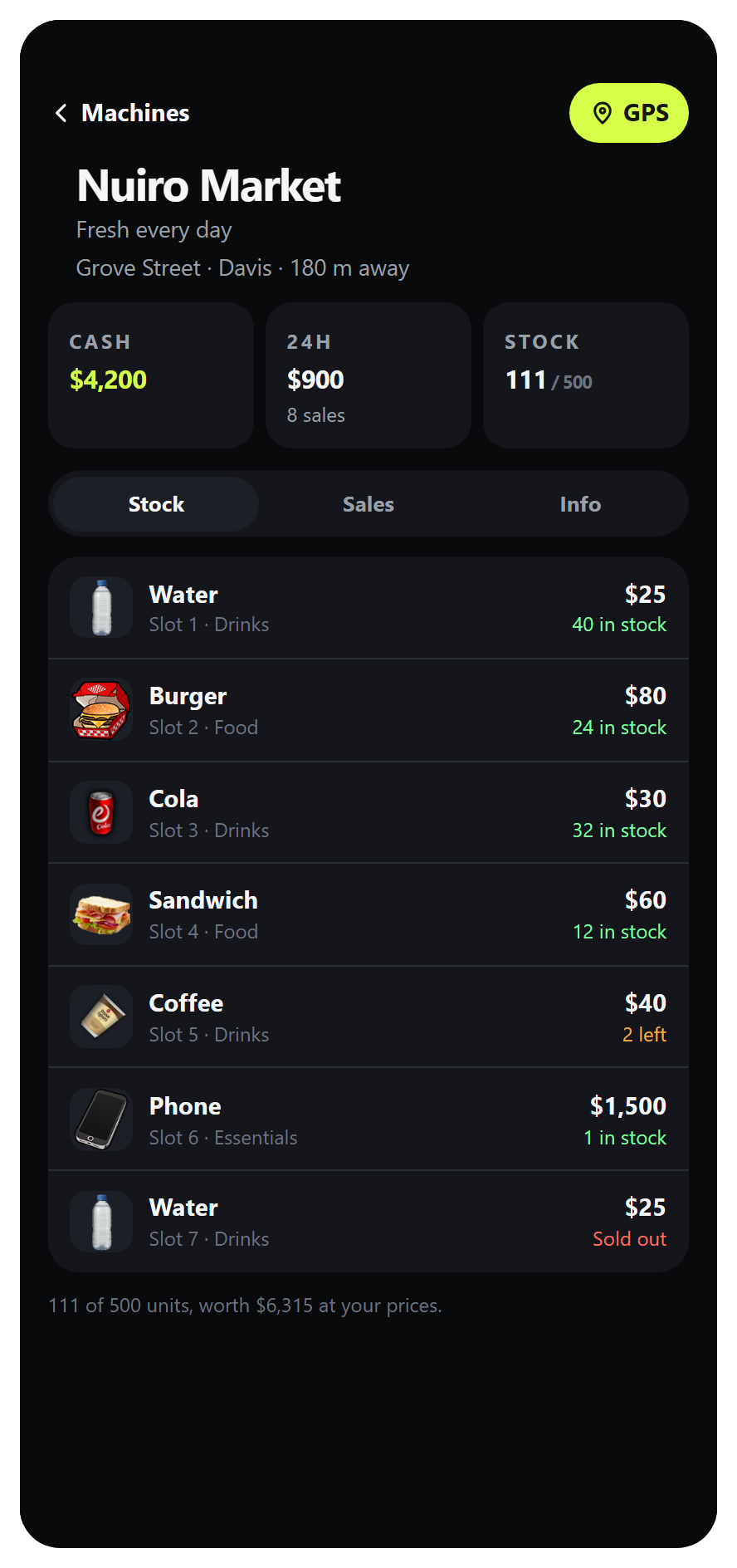
Open a machine and select Stock to inspect each product's price and availability. This is a monitoring screen: add or remove stock at the physical machine.
Sales history
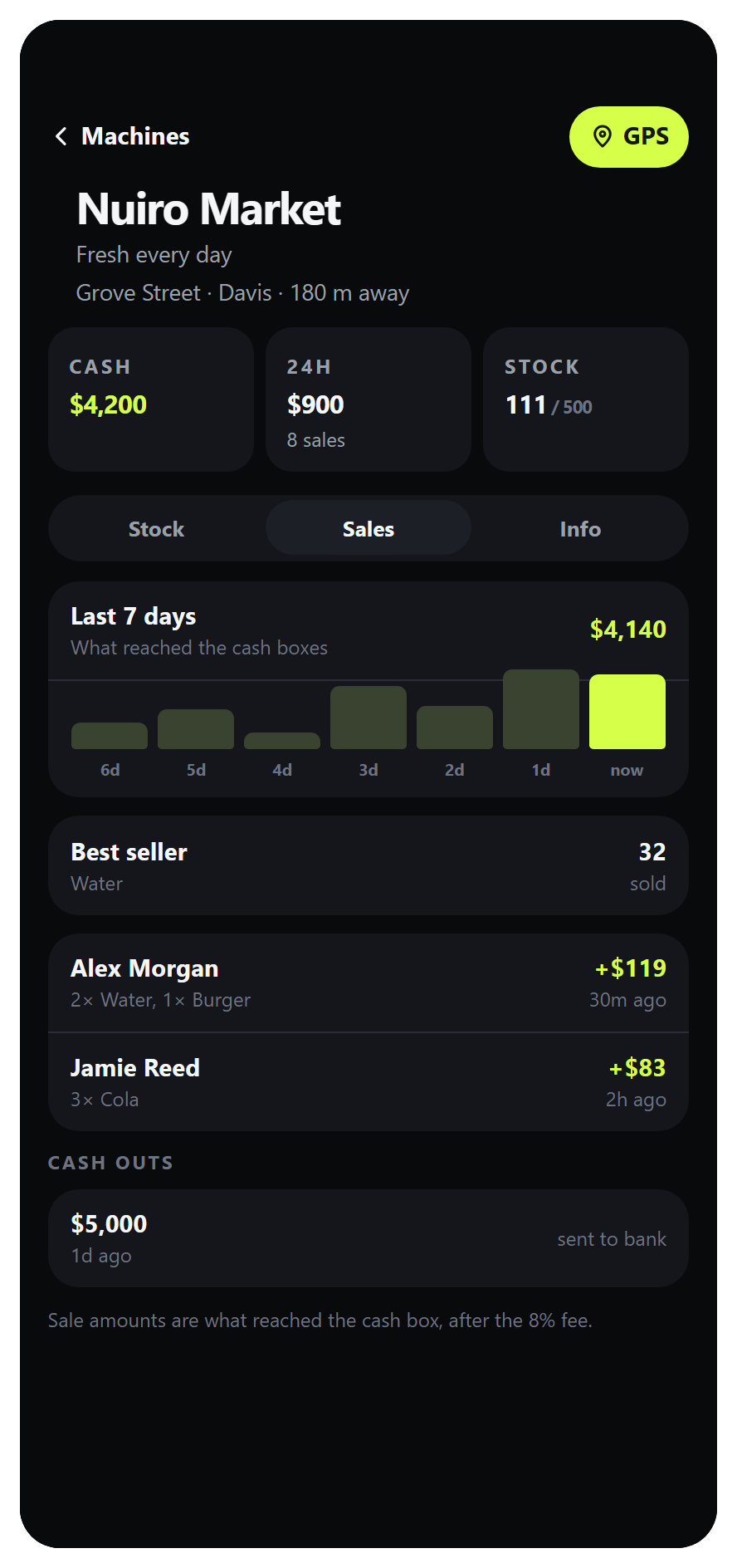
Sales shows the daily chart, best seller, transactions, and withdrawals. Transaction earnings are net amounts after the configured fee. Older transactions can be loaded when another page is available.
Machine information
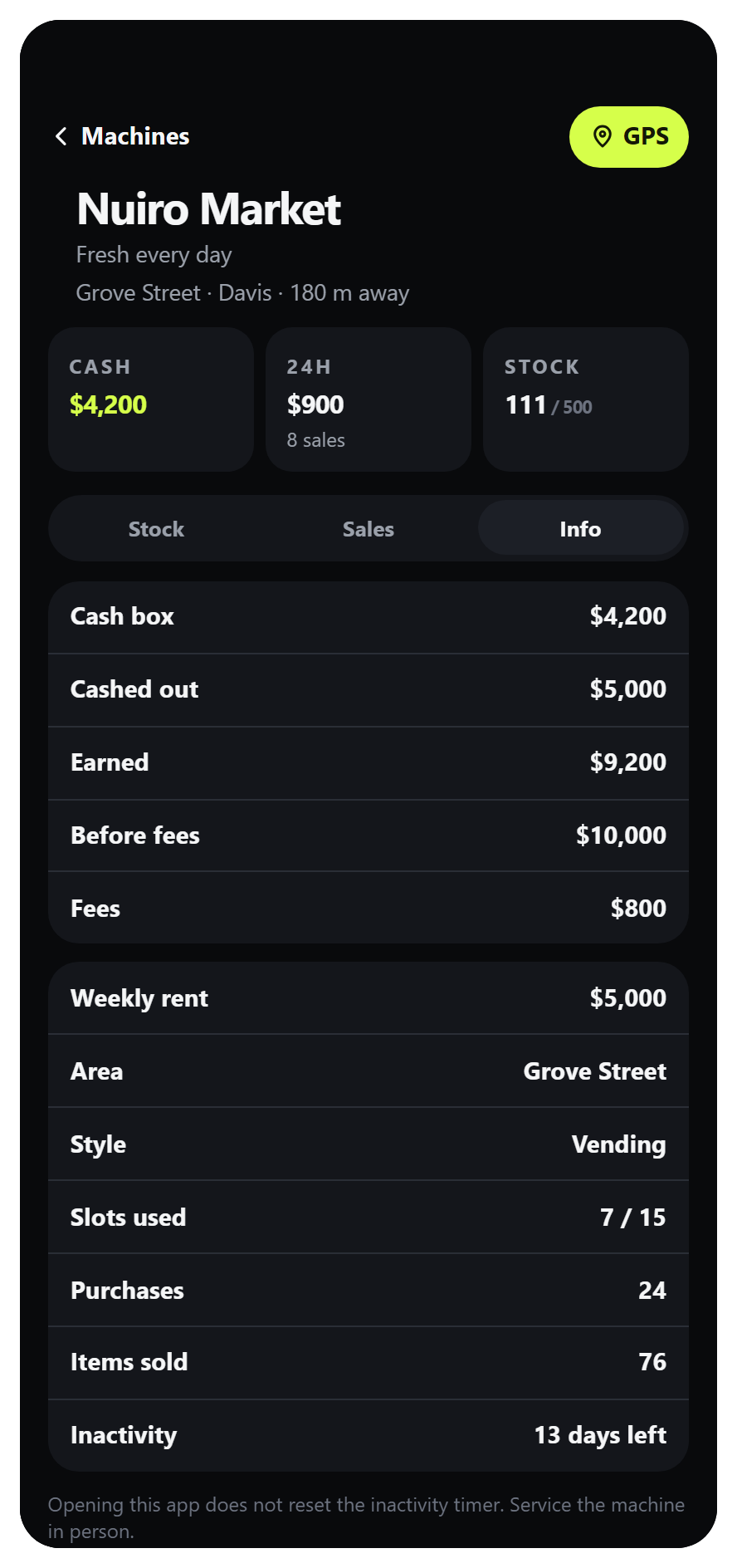
Info separates the cash box, withdrawals, gross earnings, fees, rent, and machine limits. GPS sets a waypoint to this machine; the inactivity deadline still requires an on-site service visit.
Configure rent
Rent is enabled in the supplied config:
rent = {
    enabled = true,
    periodDays = 7,
    graceHours = 24,
    defaultPrice = 5000000,
    defaultLabel = 'Los Santos',
    areas = {
        { id = 'grove', label = 'Grove Street', price = 7000000,
          x = 105.0, y = -1938.0, radius = 230.0 },
        -- Keep or edit the other areas from config.lua.
    },
},
Amounts are whole in-game currency units. Review these supplied prices before use on your server. A position inside multiple rent areas uses the nearest area's center; outside all areas it uses defaultPrice and defaultLabel.
The first bill has the configured grace period before sales are blocked. Paying starts a coverage period of periodDays from the payment time. When that coverage ends, the next bill becomes due; the initial grace period is not granted again. Bills are checked during resource operation, so owners can see This machine is closed until the weekly rent is paid when a due bill remains open.
Rent is not automatically debited on a schedule: the owner pays through VendTrack. Moving funds into the bank alone does not pay a bill. Paying rent also does not count as an on-site service visit.
Run without LB Phone or without rent
Set the existing field to:
Config.rent.enabled = falseThis removes the rent block from core vending. It does not install a replacement billing interface or remove existing bill records from the database. The phone app remains optional for monitoring if LB Phone is available.