
Player & Owner UI
Use your configured target system on a machine. Use Vending Machine opens the customer cabinet. The owner also gets Service Machine and Pick Up Machine. With the TextUI fallback, press E for the first action or G for the additional-action menu. Escape closes the cabinet interface.
Customer storefront
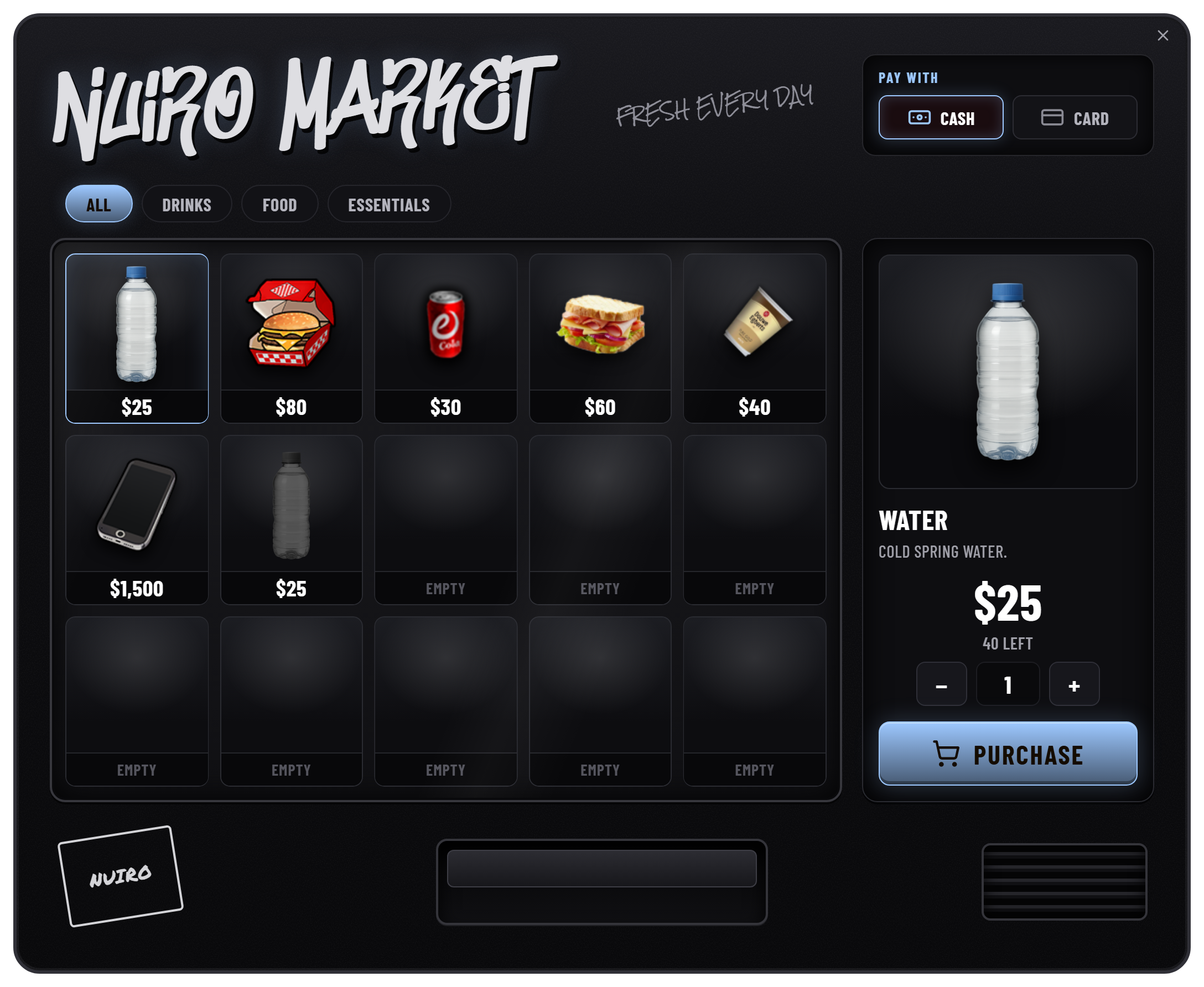
Choose a category, select a product, set the quantity, and select an available payment account. The purchase button shows the selected item and total. Stock, funds, quantity, and inventory capacity are checked by the server.
Config.accountscontrols payment options. The supplied choices are cash (money) and bank (bank).Config.maxQuantitycaps the quantity in one purchase; its supplied value is 25.- Empty or paused listings cannot be purchased.
- Owners cannot purchase from their own machines unless
Config.canBuyOwnis enabled. - Overdue rent blocks customer access until the bill is paid.
Stock: build the catalogue
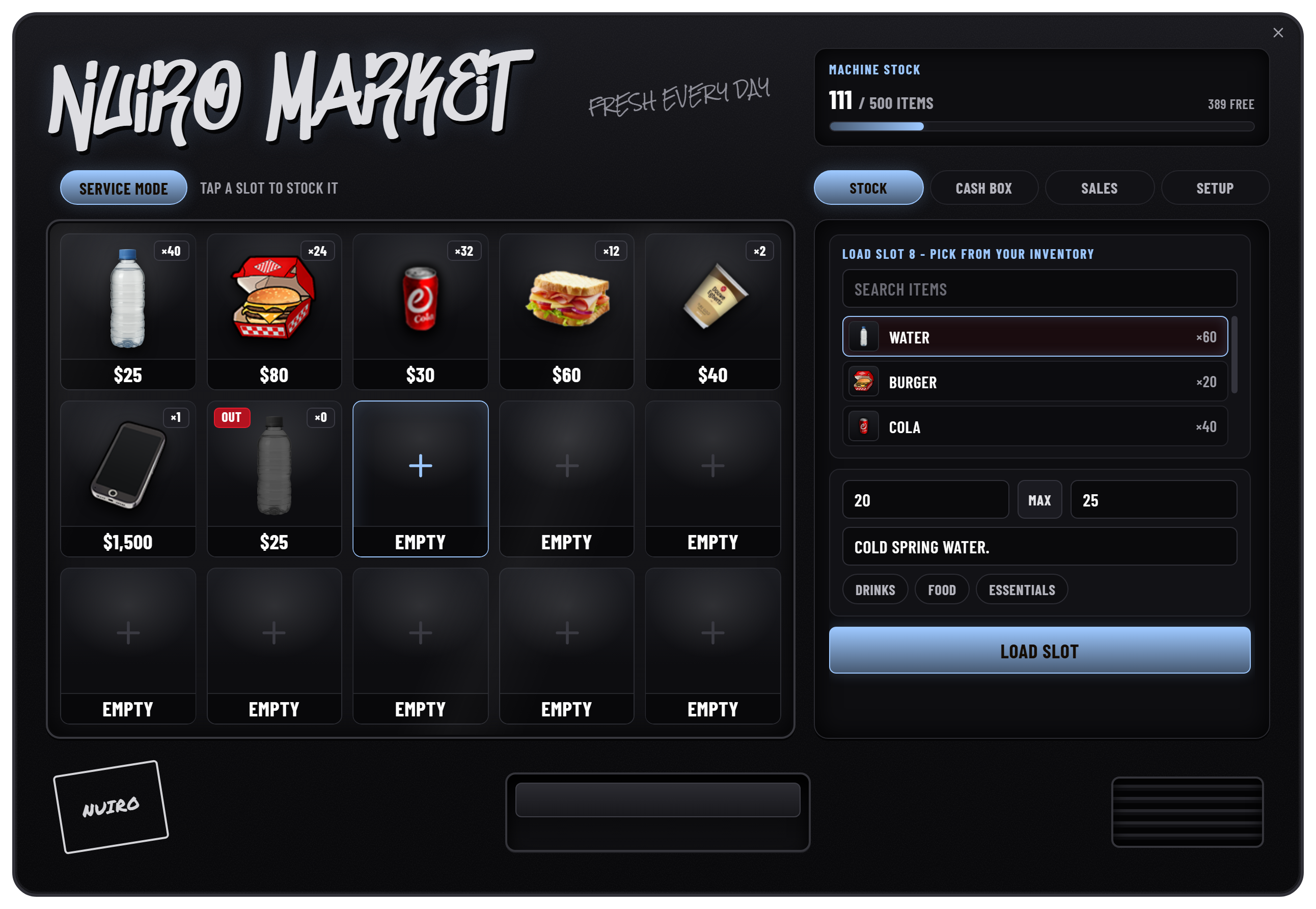
Open Service Machine → Stock and select an empty slot. Choose an item from your carried inventory, enter the amount and price, and load the slot. The source inventory supplies item definitions and images; item restrictions and the selected machine style determine what can be listed.
For existing listings, use the stock controls to add or remove stock, change price or description, pause sales, assign a category, or remove the listing. Removing stock returns it to the owner when the inventory can accept it.
Edit an existing listing
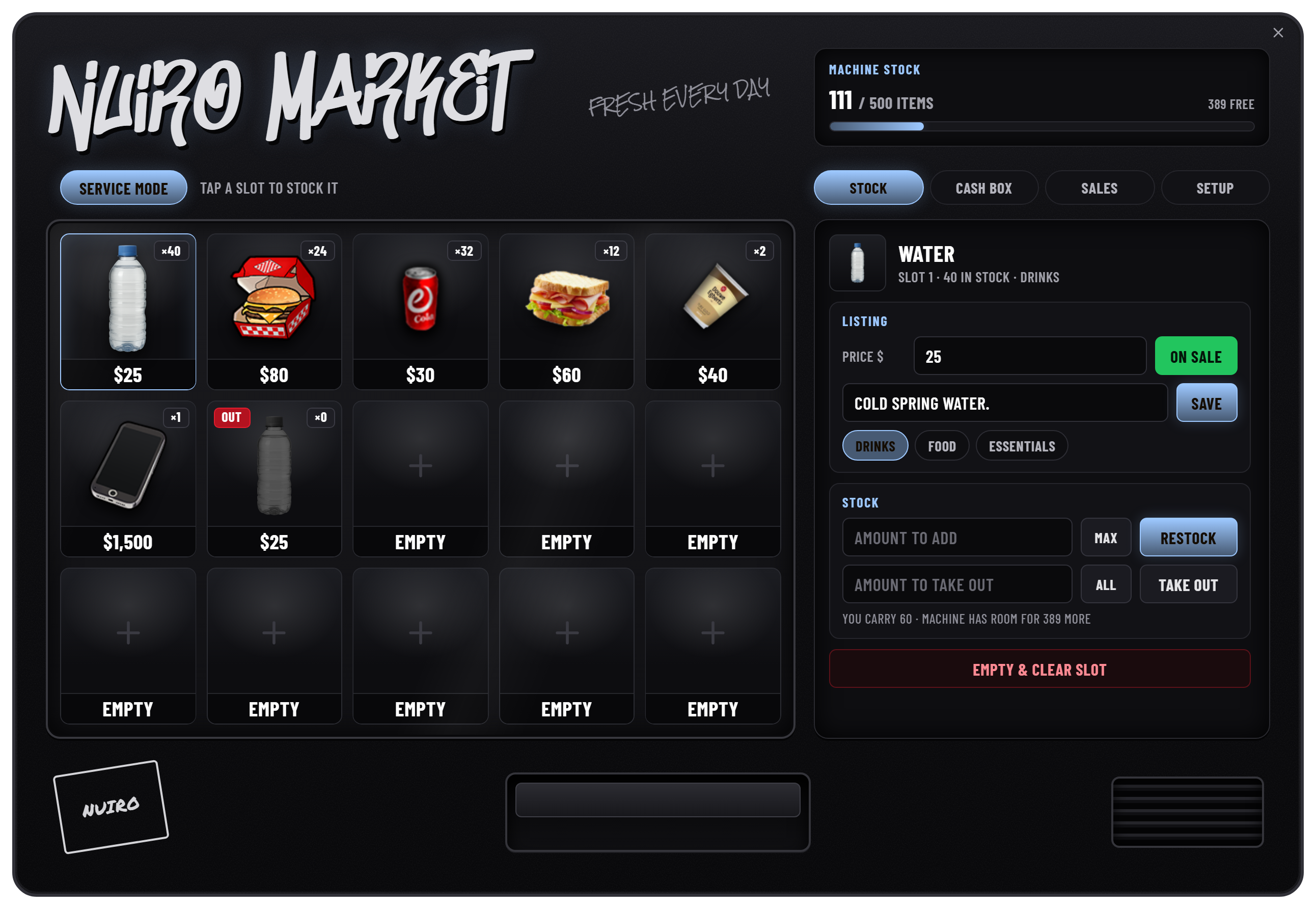
Select a loaded slot to open its listing controls. On sale / Paused controls availability, Restock adds carried items, and Take out returns stock. Empty & clear slot asks for confirmation before clearing the listing.
The supplied limits are 500 total stock units, 15 slots, five columns, and six categories. Category labels allow up to 14 characters. See Configuration before changing these values.
Metadata-bearing or non-stackable items are tracked individually rather than treated as an interchangeable stack. Keep metadata handling intact when adapting an inventory.
Setup: brand the cabinet
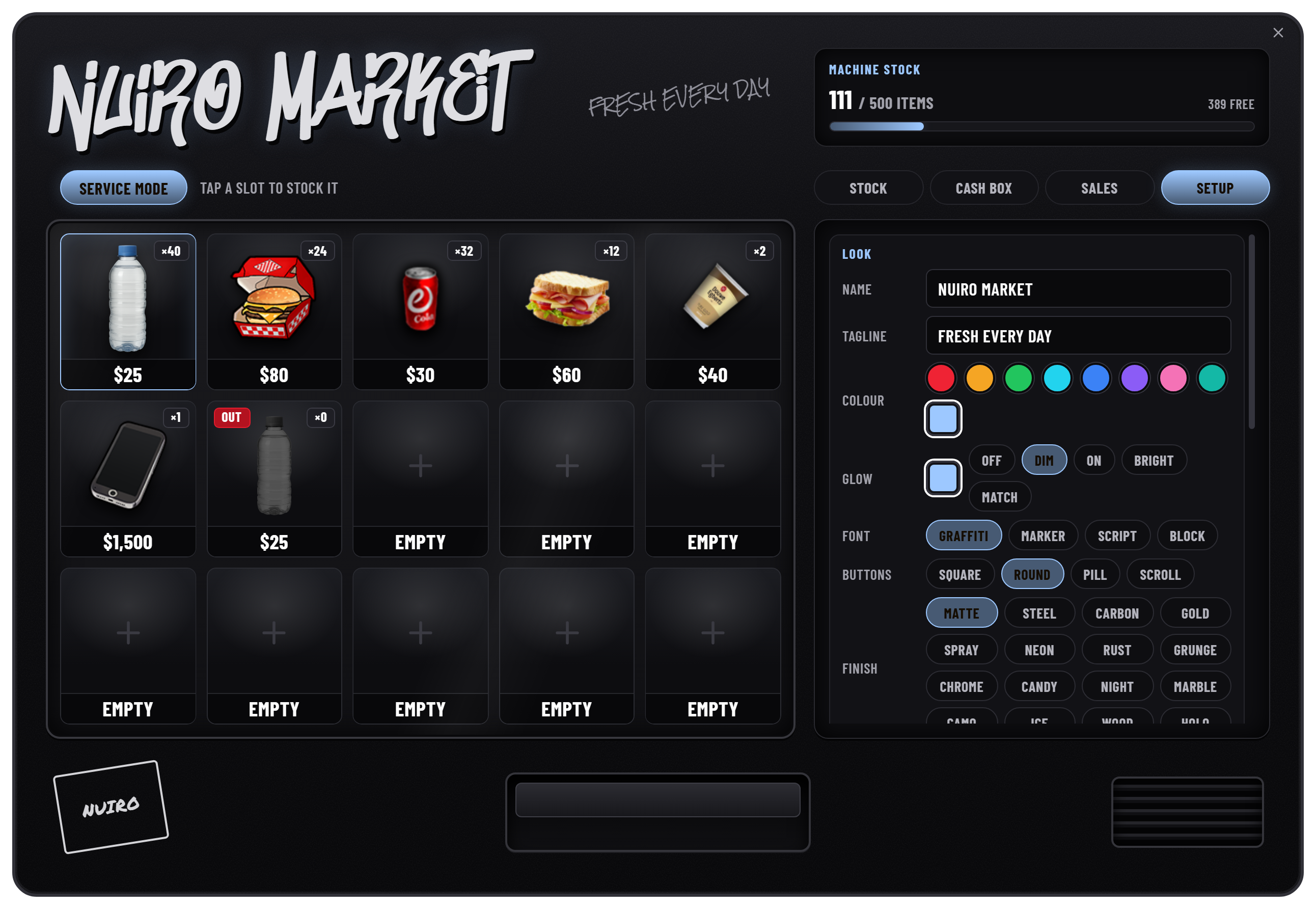
Use Setup to edit the machine name, tagline, theme, cabinet finish, and design controls. Available design options include accent/glow colors, glow strength, graffiti/marker/script/block fonts, square/round/pill buttons, labels, stickers, and a marquee setting.
The saved name allows 2–32 characters; the tagline allows up to 64. Changes apply to this machine, while Config.ui.cabinetStyle supplies the default finish for new machines.
Categories and machine controls
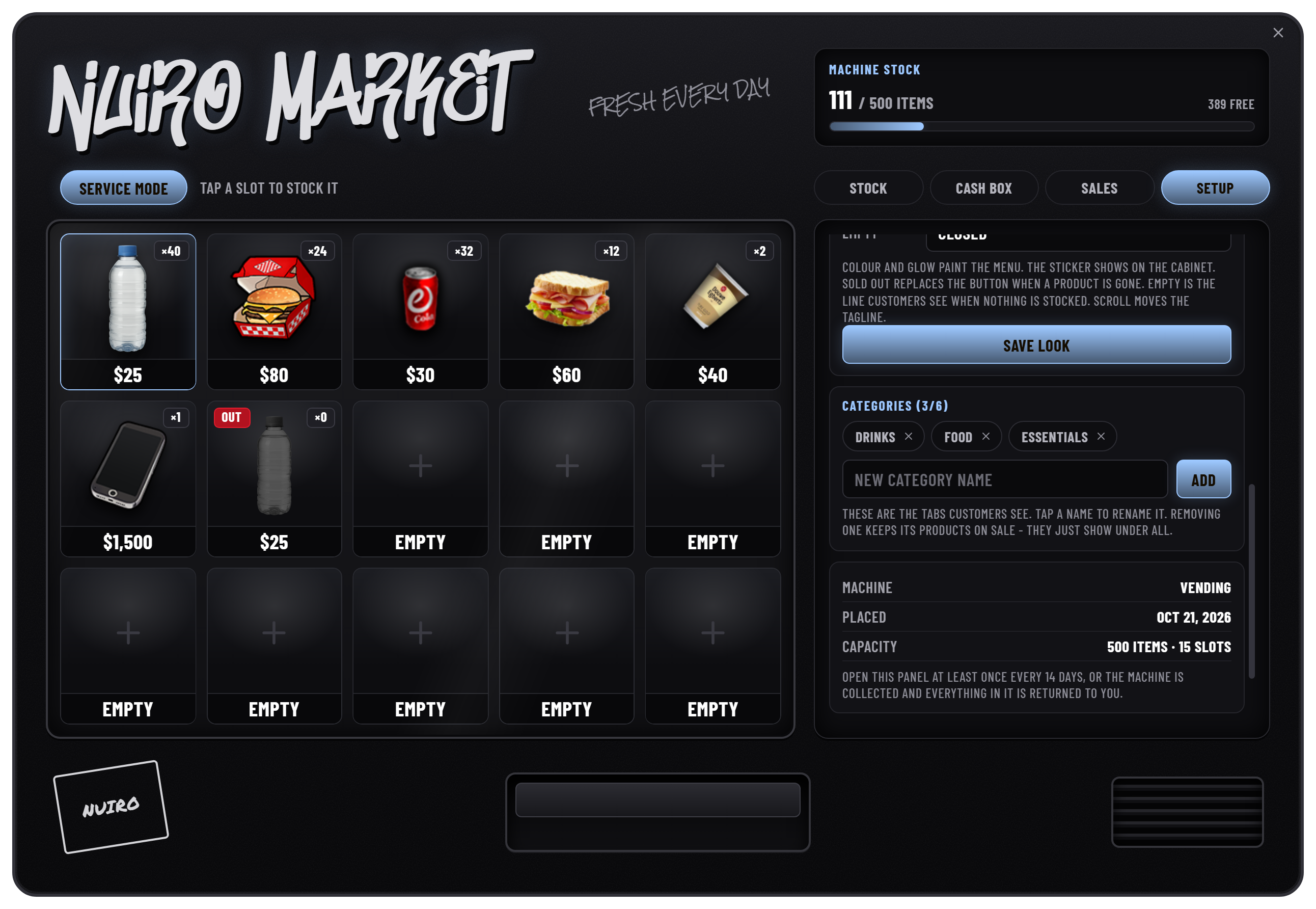
Scroll down within Setup to manage category names and review machine information. Removing a category keeps its products available under All. Pickup controls are separate from saving the cabinet's appearance.
Sales: review performance
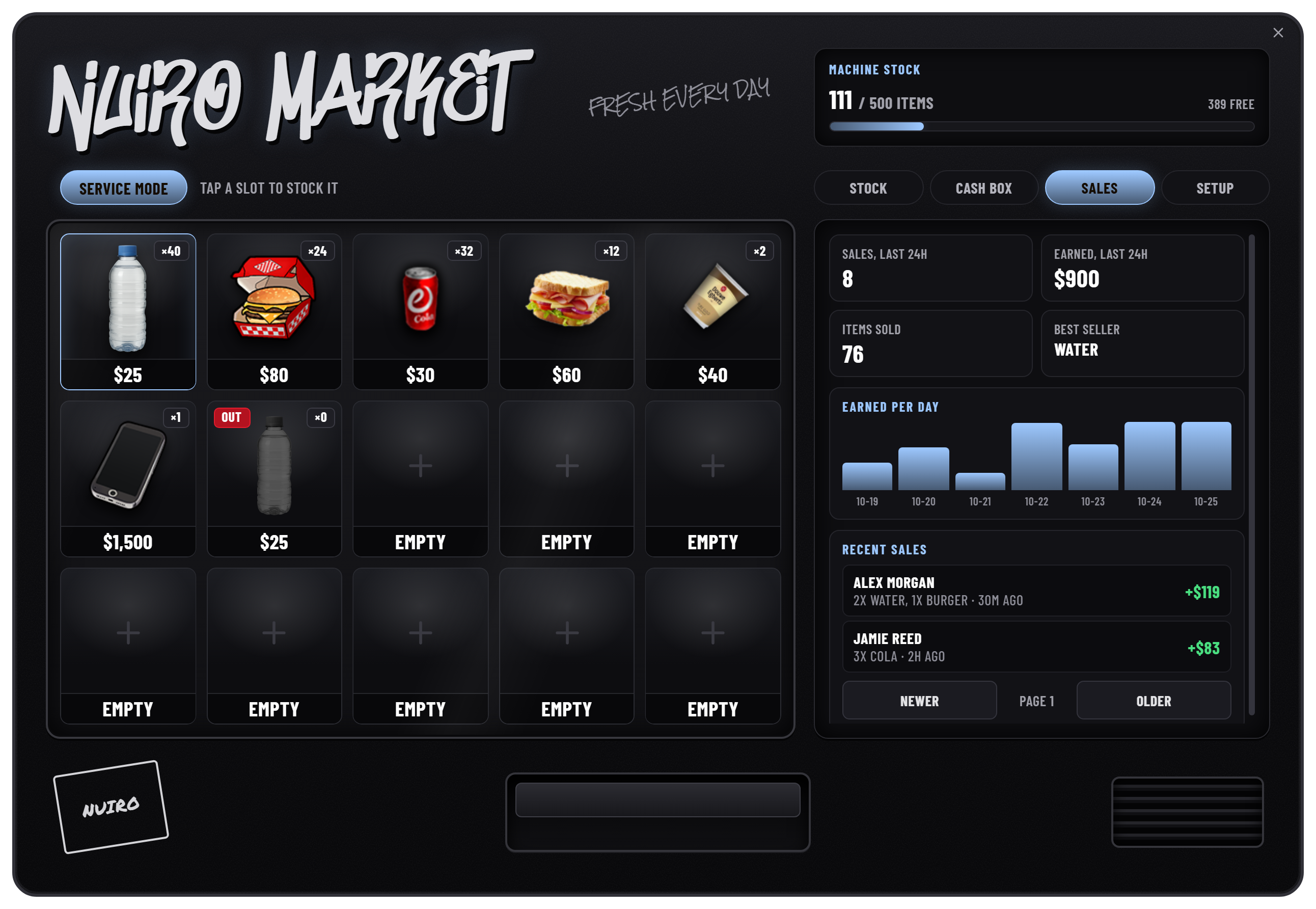
Sales shows recent sales, earnings, items sold, a best seller, and the daily earnings chart. Transaction history is paginated and includes the buyer, purchased items, quantities, net earnings, and time.
Cash Box: withdraw earnings
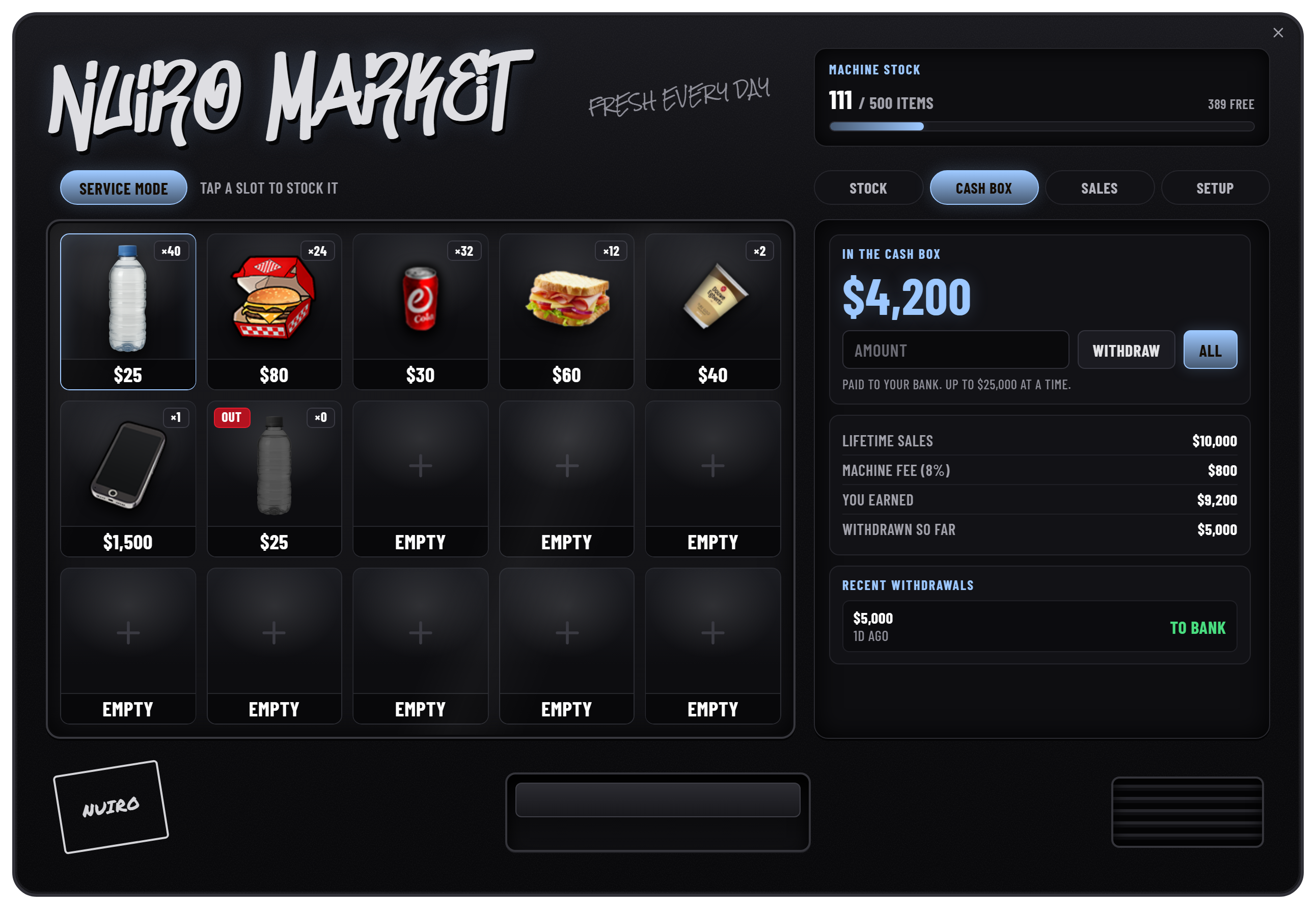
The cash box receives sale revenue after Config.feePercent. With the supplied fee of 8%, a gross sale of 1,000 contributes 920 to the owner's balance.
Withdrawals go to the owner's bank account. Config.maxWithdraw limits each withdrawal to 25,000 by default. All withdraws up to that limit, so a larger balance can require more than one withdrawal. The panel also shows gross sales, fees, net earnings, and previous withdrawals.
Pick up a machine
Choose Pick Up Machine as its owner and confirm. The resource queues the machine item, remaining stock, and cash-box balance for return; the balance is paid to the bank. Return records are retained if delivery cannot complete immediately. Free inventory space and reconnect if a queued item has not arrived.
Picking up the machine removes its listings and machine-specific history. For staff removal and automatic inactivity collection, see Admin.
For remote monitoring, continue with VendTrack & Rent.